
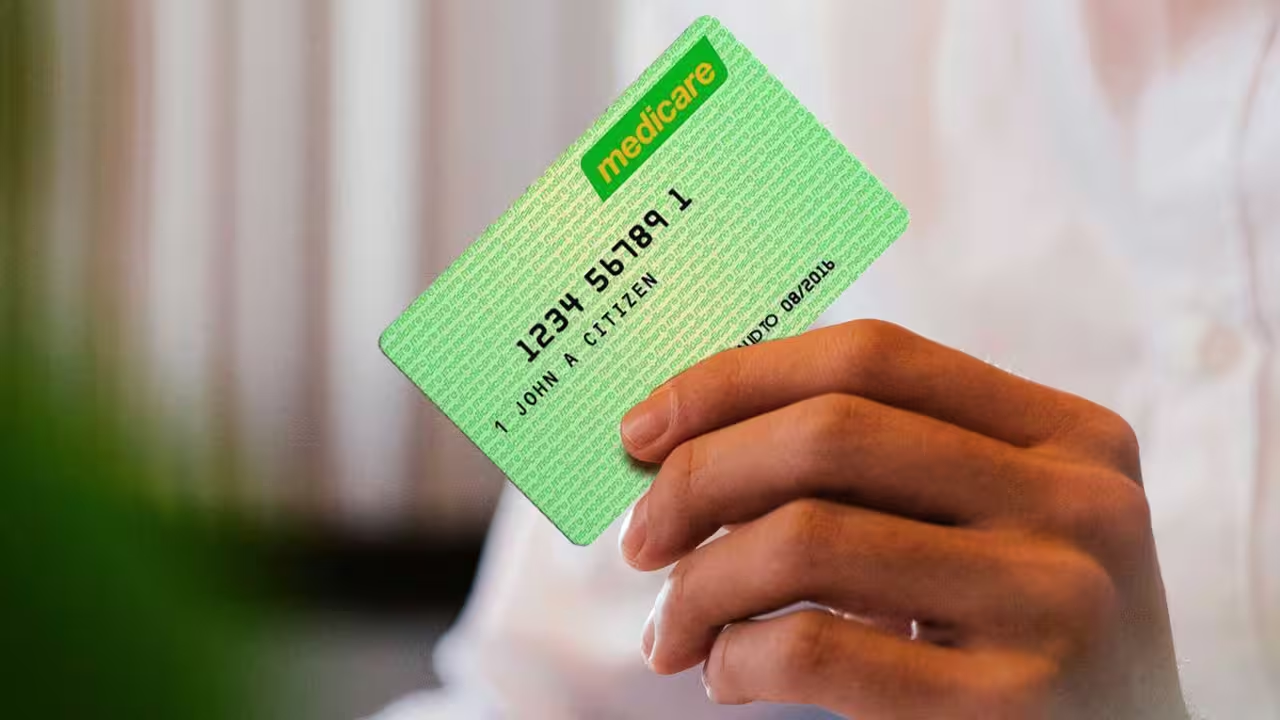
You're trying to verify your Neds account, entering your Medicare card details exactly as requested, only to be told that verification has failed.
It's frustrating, especially when you're ready to start betting or withdraw funds and a simple identity check is standing in the way.
The good news is that Medicare card verification issues are fairly common. In most cases, the problem can be fixed by checking a few details and correcting small mistakes.
This guide explains the most common reasons a green Medicare card fails identity verification on Neds and what you can do to get approved quickly.
Why Does Neds Require Identity Verification?
Like all licensed Australian bookmakers, Neds must verify the identity of its customers.
This requirement exists to comply with Australian regulations covering:
- Anti-money laundering (AML)
- Counter-terrorism financing (CTF)
- Fraud prevention
- Age verification
- Responsible gambling
Without successful verification, your account may face restrictions on deposits, betting activity, or withdrawals.
Is a Green Medicare Card Accepted by Neds?
Yes.
A green Medicare card is commonly accepted as part of the identity verification process.
However, simply having a valid Medicare card doesn't guarantee automatic approval.
The information on your card must match the information on your Neds account exactly.
If something doesn't match, verification may fail.
Most Common Reasons Medicare Verification Fails
If your Medicare card keeps getting rejected, one of the following issues is usually responsible.
1. Your Personal Details Don't Match
This is the most common cause of failed verification.
The details on your Neds account must match your Medicare card exactly.
Even small differences can cause problems.
Examples include:
- Missing middle names
- Different surname spelling
- Nicknames instead of legal names
- Incorrect date of birth
Take a few minutes to compare both records carefully.
2. The Medicare Card Number Was Entered Incorrectly
Typing mistakes happen more often than people realise.
Double-check:
- Medicare card number
- Individual reference number
- Expiry date
Even a single incorrect digit can cause the verification system to reject your submission.
It's worth reviewing everything before attempting another verification request.
3. Your Medicare Card Photo Is Unclear
If you're uploading a photo of your card, image quality matters.
The verification system needs to clearly read every detail.
Common problems include:
- Blurry images
- Poor lighting
- Reflections
- Cropped photos
- Hidden corners
If any information is difficult to read, the system may automatically reject the document.
4. You're Using an Old Medicare Card
Many people keep older Medicare cards in their wallets without realising they've received a replacement.
If your card has been replaced or updated, the old card details may no longer match Medicare records.
Always use the most recent card issued to you.
If you're unsure, check your Medicare account through myGov.
5. Neds Is Experiencing a Verification Issue
Occasionally the problem isn't your fault at all.
Verification systems sometimes experience:
- Technical issues
- Service outages
- Temporary errors
- Database communication problems
In these situations, even valid information may fail.
Waiting a short period before trying again can sometimes resolve the issue.
Step 1: Review Your Neds Account Details
Before attempting another verification, check your profile information carefully.
Look at:
- First name
- Middle name
- Last name
- Date of birth
- Residential address
Make sure everything matches your Medicare records exactly.
Even minor inconsistencies can prevent successful verification.
Step 2: Verify Your Medicare Card Information
Now review the Medicare card itself.
Confirm:
- Card number
- Individual reference number
- Expiry date
Enter each detail carefully.
Many failed verifications are simply caused by typing errors.
Step 3: Upload a Better Image
If you're submitting a photo, take a new one rather than reusing the existing image.
For the best results:
- Place the card on a dark surface
- Use natural lighting
- Avoid shadows
- Avoid glare
- Capture all four corners
Zoom in before uploading and make sure every detail is clearly visible.
Step 4: Try Another Identity Document
If your Medicare card continues to fail, using a different document may be the easiest solution.
Neds commonly accepts:
- Australian driver's licence
- Australian passport
- Proof of Age card
Many users find verification is completed much faster using a driver's licence.
Step 5: Check Your Verification Status
Log into your Neds account and review any messages relating to verification.
You may see requests for:
- Additional documents
- Manual verification
- Further identity checks
If Neds has requested additional information, complete those steps before attempting another submission.
When Should You Contact Neds Support?
If you've checked everything and verification still fails, it's time to contact support.
Reach out if:
- Multiple verification attempts fail
- Your information is correct
- You receive unclear error messages
- Alternative documents are also rejected
Neds support can investigate the specific reason your verification isn't being approved.
Information to Have Ready
Before contacting support, gather the following:
- Username
- Registered email address
- Medicare card details
- Screenshots of any error messages
Providing this information upfront can help support resolve the issue more quickly.
How Long Does Verification Usually Take?
In many cases, automated verification happens within minutes.
If manual review is required, processing can take longer.
Typical timeframes include:
- Automated checks: Minutes
- Manual reviews: Up to 24–48 hours
The exact timeframe depends on the complexity of the verification issue.
Why Verification Is Important
Although verification can feel inconvenient, it serves an important purpose.
Identity checks help:
- Protect customer accounts
- Prevent fraud
- Verify legal gambling age
- Secure withdrawals
- Meet Australian regulatory requirements
These checks ultimately create a safer betting environment for everyone.
Responsible Gambling Reminder
Identity verification is one part of maintaining a secure betting account.
It's also a good opportunity to review your gambling habits and account settings.
Consider using tools such as:
- Deposit limits
- Loss limits
- Session reminders
- Time-outs
- Self-exclusion options
These features can help keep betting enjoyable and under control.
Final Thoughts
If your green Medicare card is failing identity verification on Neds, the issue is usually caused by incorrect account details, data entry mistakes, poor image quality, or outdated card information.
Start by carefully checking your Neds profile and Medicare card details. If necessary, upload a clearer image or use an alternative identification document such as a driver's licence or passport.
If the problem persists, Neds customer support can review your account and help identify the exact cause.
In most cases, a few small corrections are all that's needed to get your account verified and fully operational.
0 Comments
Comments are reviewed before they appear.No comments yet. Be the first to add one.