
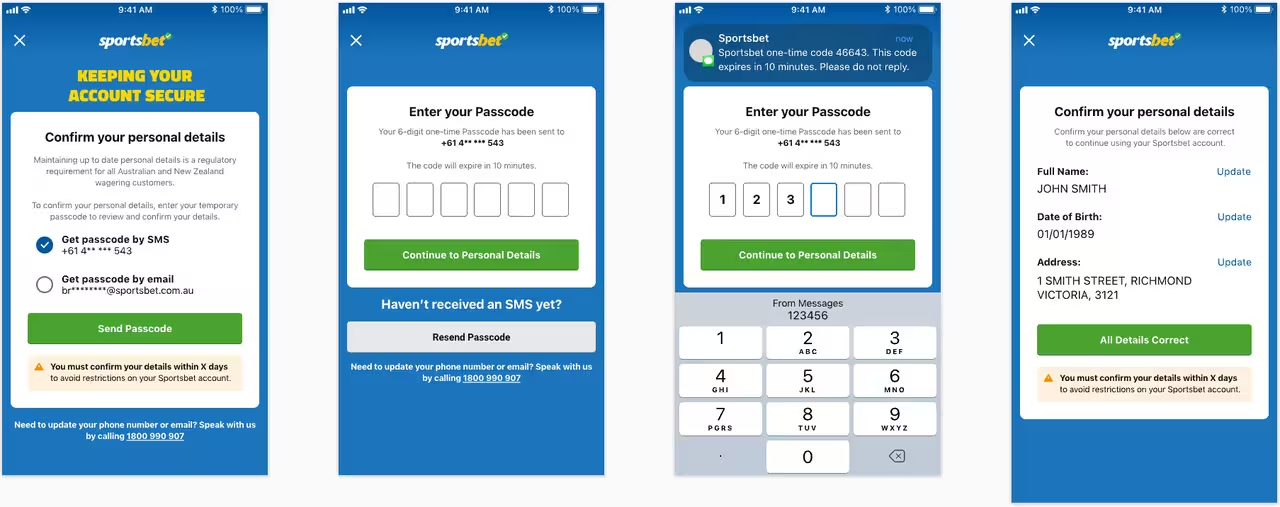
You've finally signed up for Sportsbet, found a few markets you like, and you're ready to place your first bet. Then Sportsbet asks you to verify your identity before you can access all account features. While this step is completely normal, it can feel frustrating when you're eager to get started and aren't sure what documents you need.
Many Australian bettors assume they need a passport or driver's licence to complete verification. However, a blue or yellow Medicare card is often enough to verify your identity quickly and securely. In fact, it's one of the most commonly used documents during the Sportsbet verification process because most Australians already have one available.
The key is knowing exactly which details Sportsbet needs and entering them correctly. Even a small mistake can cause the verification process to fail, resulting in delays that could have been avoided. This guide will show you exactly how to use your Medicare card for Sportsbet verification and what to do if something goes wrong.
Why Does Sportsbet Require Identity Verification?
Sportsbet isn't asking for verification simply to create extra work for customers. Like all licensed Australian bookmakers, Sportsbet must comply with strict gambling and financial regulations that require operators to confirm the identity of every customer.
These rules help prevent underage gambling, identity theft, fraud, and money laundering. Verification also protects your account by ensuring that only you can access your funds and request withdrawals. Without successful verification, Sportsbet may restrict certain account functions until your identity has been confirmed.
Although it may seem like an inconvenience at first, verification actually benefits customers as much as it benefits the bookmaker. It creates a safer betting environment and helps ensure that your account remains secure.
Can You Use a Blue or Yellow Medicare Card for Sportsbet Verification?
Yes, Sportsbet generally accepts both blue and yellow Medicare cards as part of its identity verification process. These cards contain important personal information that can be matched against government databases to confirm your identity.
Many customers choose Medicare cards because they are easy to access and don't require uploading multiple documents. In many cases, verification can be completed automatically within minutes if all the information is entered correctly.
However, Sportsbet's system is very strict when it comes to accuracy. If even one number is entered incorrectly, the verification request may fail. That's why it's important to understand exactly which details are required before you begin.
Understanding the Information on Your Medicare Card
Before starting the verification process, take a moment to look at your Medicare card carefully. Sportsbet will require specific details from the card, and entering them correctly is essential for a successful outcome.
The information you'll typically need includes:
- Medicare card number
- Individual Reference Number (IRN)
- Expiry date
- Card colour (if requested)
Each of these details serves a specific purpose during verification. Sportsbet uses them to match your information against official records and confirm that you are the legitimate account holder.
Where to Find the Medicare Card Number
One of the most important details is the Medicare card number. This is usually located near the bottom of the card and consists of ten digits.
Make sure you enter every number exactly as it appears on the card. Don't add spaces, extra characters, or substitute similar-looking numbers. Even a minor mistake can prevent Sportsbet from validating your information.
Take your time during this step. Rushing through the process is one of the main reasons verification requests fail.
What Is the Individual Reference Number (IRN)?
The Individual Reference Number, commonly known as the IRN, is a single digit that identifies each individual listed on the Medicare card.
If several family members appear on the same Medicare card, each person will have a different IRN. Sportsbet uses this number to identify exactly which person is attempting verification.
Many customers accidentally enter the wrong IRN, particularly when multiple family members share the same card. Double-check that you're using the number next to your own name rather than someone else's.
Finding the Expiry Date
The expiry date is another important piece of information required during verification.
You'll usually find it displayed in a month and year format, such as:
- MM/YY
Ensure the date is entered exactly as shown. Using an expired Medicare card or entering the wrong date can cause the system to reject your submission.
If your Medicare card has expired, consider renewing it or using another accepted form of identification.
Step-by-Step Guide to Verifying Your Sportsbet Account
Once you've gathered all the required information, you're ready to begin the verification process.
Follow these steps carefully:
Step 1: Log In to Sportsbet
Open the Sportsbet website or mobile app and sign in using your account credentials.
After logging in, navigate to the account section where identity verification requests are managed.
Step 2: Open the Verification Area
Look for a section labelled:
- Verify Account
- Identity Verification
- My Account
- Verification Centre
The exact wording may vary depending on the platform version you're using.
Step 3: Select Medicare Card
Sportsbet will provide several verification options.
Choose:
- Medicare Card
This tells the system which type of identification you intend to use.
Step 4: Enter Your Details Carefully
Input:
- Medicare card number
- Individual Reference Number
- Expiry date
Double-check everything before proceeding.
Accuracy is critical at this stage.
Step 5: Submit Your Information
Once you're confident the information is correct, submit the verification request.
Sportsbet will then attempt to verify your details electronically.
In many cases, approval happens almost immediately.
What Happens After You Submit?
For most customers, the verification result appears within a few moments.
If the information matches successfully, you'll typically receive:
- On-screen confirmation
- Email notification
- Updated account status
At that point, your Sportsbet account should be fully verified and ready for unrestricted use.
This means you'll be able to:
- Deposit funds
- Place bets
- Withdraw winnings
- Access account features
without further verification delays.
Why Does Medicare Verification Sometimes Fail?
Although the process is usually straightforward, verification failures do happen.
The most common cause is incorrect information.
Typical problems include:
- Wrong Medicare card number
- Incorrect IRN
- Expired card
- Name mismatch
- Typing errors
Fortunately, most of these issues can be fixed quickly once identified.
Check Your Sportsbet Account Details
If verification fails, start by reviewing your Sportsbet profile.
Ensure the following information matches your Medicare records exactly:
- Full name
- Date of birth
- Residential address
Even small inconsistencies can trigger a failed verification.
For example, missing middle names or incorrect spelling can cause problems.
Using Clear Images If Required
In some situations, Sportsbet may request a photo of your Medicare card.
If this happens:
- Use good lighting
- Avoid glare
- Capture all four corners
- Ensure text is readable
Blurry or poorly lit images are frequently rejected.
Taking a few extra seconds to get a clear photo can save a lot of frustration later.
Alternative Documents You Can Use
If your Medicare card continues to fail verification, don't panic.
Sportsbet accepts several other forms of identification.
Common alternatives include:
- Australian driver's licence
- Australian passport
- Proof of Age card
Many customers find that a driver's licence is one of the quickest backup options available.
When to Contact Sportsbet Support
If you've checked everything and verification still isn't working, it's time to contact Sportsbet support.
Support staff can review your account and identify the exact reason for the failure.
Before contacting them, have the following ready:
- Username
- Registered email address
- Medicare card details
- Screenshots of error messages
Providing detailed information helps support resolve the issue much faster.
Responsible Gambling and Verification
Identity verification isn't only about compliance and security. It also supports responsible gambling initiatives throughout Australia.
Verification helps bookmakers enforce age restrictions, maintain account security, and support self-exclusion programs. It ensures that customers can access responsible gambling tools designed to help them stay in control of their betting activity.
Once your account is verified, consider using features such as deposit limits, loss limits, and session reminders. These tools can help ensure betting remains enjoyable and manageable over the long term.
Final Thoughts
Using a blue or yellow Medicare card to verify your Sportsbet account is usually one of the fastest and simplest verification methods available to Australian bettors. As long as your card details are current and entered correctly, approval often takes only a few minutes.
The most important thing is accuracy. Carefully check your Medicare card number, Individual Reference Number, expiry date, and account details before submitting your request. Most verification failures happen because of small mistakes that can easily be corrected.
Once verified, you'll have full access to your Sportsbet account and can enjoy a secure, compliant, and responsible betting experience without unnecessary delays.
0 Comments
Comments are reviewed before they appear.No comments yet. Be the first to add one.