
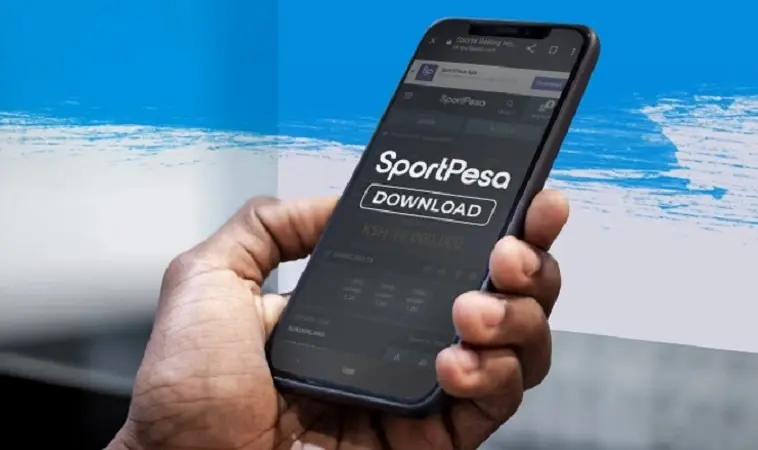
To download the SportPesa mobile app APK for Android, you will need to get the installation file directly from the official SportPesa Kenya website, as it is not available on the Google Play Store. This process involves a few simple steps, including adjusting your phone's security settings to allow installation from unknown sources.
This guide will walk you through each step, from preparing your phone to successfully installing the SportPesa app. By the end, you'll understand why direct download is necessary and how to safely get the app onto your Android device, making it easy to enjoy betting on your favorite sports wherever you are in Kenya.
Why You Might Need the SportPesa APK in Kenya
Many popular betting apps, including SportPesa, are not always available on the Google Play Store due to Google's policies on real-money gambling applications in some regions. This means that for Android users in Kenya, downloading the app directly as an APK file is the primary way to get it.
An APK (Android Package Kit) is simply the file format used by Android for the distribution and installation of mobile apps. Getting the SportPesa APK allows you to bypass the Play Store and install the app manually, giving you full access to all its features, live betting, and account management tools right from your phone.
Important Things to Check Before You Download
Before you begin downloading and installing the SportPesa mobile app APK, it's a good idea to quickly check a few things on your Android phone. This helps make sure the installation goes smoothly and that the app runs well once it's on your device.
First, ensure your phone meets the basic system requirements for the app. Also, you will need to understand a quick security setting to allow apps from outside the Google Play Store to be installed. This is a normal step for APK files.
System Requirements for the SportPesa App
For the SportPesa app to work correctly, your Android phone needs to meet certain specifications. Most modern smartphones will easily pass these checks, but it's always good to confirm.
Here is a quick look at the typical system requirements for the SportPesa Android app:
| Requirement | Minimum Specification | Recommendation |
|---|---|---|
| Android Version | Android 5.0 (Lollipop) or higher | Android 8.0 (Oreo) or higher |
| Storage Space | At least 50 MB free | 100 MB or more free |
| RAM (Memory) | 1 GB | 2 GB or more |
| Internet Connection | Stable 3G/4G/Wi-Fi | Fast 4G/5G/Wi-Fi for live betting |
Security and "Unknown Sources" Explained
When you download an app from anywhere other than the Google Play Store, your Android phone sees it as coming from an "unknown source." By default, Android phones are set to block installations from these sources to keep you safe from harmful apps.
To install the SportPesa APK, you will need to temporarily change this setting. It's important to only download the APK from the official SportPesa Kenya website to avoid downloading fake or malicious versions of the app. Once you've installed the app, you can switch this setting back if you wish.
Step-by-Step Guide: How to Download and Install the SportPesa APK
Now that you know what to check, let's go through the exact steps to get the SportPesa mobile app onto your Android phone. Follow these instructions carefully to ensure a smooth and secure installation process.
Finding the Official SportPesa Kenya Website
The very first step is to make sure you are on the correct and official SportPesa website for Kenya. There are many fake websites out there, so always double-check the web address.
Open your phone's web browser (like Chrome) and type in the official SportPesa Kenya website address. Look for a section or link specifically for their mobile app download, usually found in the footer or a dedicated "Mobile App" page.
Downloading the APK File
Once you've found the mobile app section on the official SportPesa website, you will see a button or link to download the Android app. This will typically be labeled "Download for Android" or "Download APK."
Tap this button, and your browser will start downloading the SportPesa APK file. You might see a warning message saying the file type can harm your device; this is standard for APKs and you can proceed as long as you are on the official site. The file will usually save to your phone's "Downloads" folder.
Enabling Installation from Unknown Sources
Before you can install the downloaded APK, you need to tell your phone it's okay to install apps from outside the Play Store. The exact steps might look a little different depending on your Android version, but the general idea is the same.
Here's how to enable this setting:
- Go to your phone's Settings.
- Look for Apps & notifications, Security & privacy, or just Security.
- Find Install unknown apps or Unknown sources.
- You might see a list of apps. If so, find the browser you used to download the APK (e.g., Chrome) and toggle on Allow from this source. If it's a general setting, just toggle on Unknown sources.
Remember to only enable this setting when installing trusted apps like SportPesa from their official source. You can turn it off again after installation for added security.
Installing the SportPesa App
With the "Unknown Sources" setting enabled, you are now ready to install the SportPesa app. This is the final step to get the application ready for use on your Android device.
Follow these quick instructions:
- Open your phone's File Manager or Downloads folder.
- Find the downloaded SportPesa APK file (it will likely have a name like
SportPesa.apk). - Tap on the APK file.
- A prompt will appear asking if you want to install the application. Tap Install.
- Wait a few moments for the installation to complete. Once finished, you'll see a message saying "App installed."
You can then tap "Open" to launch the app immediately or "Done" to close the installer and find the app icon on your home screen or app drawer.
After Installation: Getting Started with SportPesa
Once the SportPesa app is installed, you can open it and either log in to your existing account or register for a new one if you haven't already. The app provides a user-friendly interface for placing bets, checking results, and managing your funds.
If you need to add money to your account to start betting, SportPesa in Kenya typically uses mobile money services like M-Pesa. You can find guides on how to do this for various betting sites, such as how to deposit money on BetPawa Kenya using M-Pesa, which often follow a similar process for other platforms. Always ensure your account is funded before placing any wagers.
Keeping Your SportPesa App Updated
Since you downloaded the SportPesa app as an APK and not through the Google Play Store, it won't update automatically. SportPesa regularly releases updates to improve features, fix bugs, and enhance security.
To keep your app up-to-date, you will need to periodically visit the official SportPesa Kenya website. When a new version is available, you will download the latest APK file and install it over your existing app. Your phone will usually ask if you want to update the app, and you simply confirm.
Conclusion
Downloading the SportPesa mobile app APK for Android in Kenya is a straightforward process once you know the steps. By following this guide, you can safely get the app onto your device, ensuring you have access to all the betting features SportPesa offers. Always remember to download from the official website and to bet responsibly.
0 Comments
Comments are reviewed before they appear.No comments yet. Be the first to add one.