
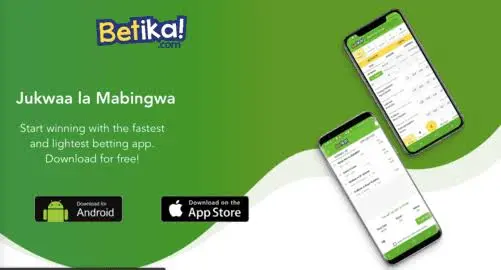
Downloading the Betika lightweight app for Android is a straightforward process that allows Kenyan bettors to enjoy a faster, more data-efficient betting experience directly from their mobile device. This app is specially designed to work well even on basic smartphones and with limited internet data, making it a popular choice across Kenya.
This article will explain exactly how to get the Betika lightweight app onto your Android phone, highlighting why it is a great option for many users. You will learn the simple steps to download and install it, understand its benefits, and find answers to common questions, ensuring you can start betting quickly and easily.
Why Choose the Betika Lightweight App?
The Betika lightweight app is a smart choice for many Android users in Kenya because it is designed to use less data and storage space on your phone. This means it runs faster, even on older devices or when your internet connection is not very strong, which is a big advantage for daily betting.
Here are some key reasons why the lightweight app stands out:
- Saves Data: It uses much less mobile data compared to browsing the Betika website, helping you save money on internet bundles.
- Faster Performance: The app loads quickly and responds smoothly, making your betting experience more enjoyable without frustrating delays.
- Low Storage Use: It takes up very little space on your phone, which is perfect if you have a device with limited memory.
- User-Friendly Interface: The design is simple and easy to understand, allowing you to find games and place bets without any confusion.
- Instant Notifications: You can get quick alerts about your bets, promotions, and game results directly on your phone.
Step-by-Step Guide to Downloading the Betika Lightweight App
Getting the Betika lightweight app on your Android phone involves a few simple steps. Since betting apps are not usually found on the Google Play Store in Kenya, you will download it directly from the Betika website.
1. Adjust Your Phone Settings for Unknown Sources
Before you can install any app from outside the Google Play Store, your Android phone needs permission to do so. This is a standard security measure, and you can easily change it.
Follow these instructions to allow installations from unknown sources:
- Go to your phone's Settings menu.
- Scroll down and tap on Security or Privacy (the exact name might vary depending on your phone model).
- Look for an option called "Install unknown apps" or "Unknown sources" and tap on it.
- You might see a list of apps. Find your web browser (like Chrome or Firefox) and toggle the switch to "Allow from this source" or simply enable "Unknown sources" globally.
- A warning message will appear; read it and tap OK or Allow to continue. Remember to disable this setting after installing the app if you prefer.
2. Visit the Official Betika Website
Once your phone is ready, the next step is to go to Betika's official website using your mobile browser. This is where you will find the link to download the lightweight app.
Open your preferred web browser on your Android phone and type in the official Betika website address. Look for a section dedicated to their mobile app or a download link prominently displayed on the homepage.
3. Find and Download the Lightweight App File
On the Betika website, you will need to locate the download link for the Android lightweight app. It is usually clearly marked to help users find it easily.
Here is what to look for and do:
- Scroll down the Betika homepage or look for a menu option like "App" or "Download App."
- You should see an option specifically for the "Android App" or "Lightweight App for Android."
- Tap on the download button. Your browser will then start downloading the APK file (Android Package Kit) to your phone.
- You might see a warning that the file type can harm your device; this is standard for APKs downloaded outside the Play Store. Tap OK to proceed with the download.
4. Install the Betika Lightweight App
After the APK file has finished downloading, the final step is to install it on your phone. This process is usually very quick.
To install the app, follow these steps:
- Once the download is complete, you will usually see a notification in your phone's notification bar. Tap on it.
- Alternatively, open your phone's File Manager or Downloads folder and find the Betika APK file you just downloaded.
- Tap on the APK file. A screen will pop up asking for your permission to install the app.
- Tap Install. The app will then be installed on your phone.
- Once the installation is complete, you can tap Open to launch the app immediately, or Done to close the installer.
Comparing Betika Lightweight App to Mobile Website
Understanding the differences between using the Betika lightweight app and simply accessing Betika through your phone's web browser can help you decide which option is best for your betting needs. The lightweight app offers specific advantages, especially for users in Kenya.
Here is a comparison of the key aspects:
| Feature/Aspect | Betika Lightweight App | Betika Mobile Website |
|---|---|---|
| Data Usage | Very low, optimized for minimal consumption. | Moderate to high, depends on browser and content loaded. |
| Storage Space | Minimal (a few MBs), ideal for phones with limited memory. | None, as it runs in your browser. |
| Speed & Performance | Fast loading, smooth navigation, less prone to lag. | Can be slower, especially on older devices or weak networks. |
| User Interface | Dedicated app feel, tailored for mobile use, intuitive. | Browser-dependent, might feel less integrated. |
| Notifications | Push notifications for bets, promotions, and results. | Limited to browser notifications, often less reliable. |
| Offline Access | Requires internet for betting, but interface loads faster. | Requires constant internet connection to function. |
Tips for a Smooth Betika App Experience
To make the most of your Betika lightweight app, there are a few practical tips you can follow. These will help ensure your betting is always smooth and enjoyable, especially when managing your account or placing bets.
Consider these helpful suggestions:
- Keep Your App Updated: Always download the latest version from the Betika website to get new features and security improvements.
- Check Your Internet Connection: Even with a lightweight app, a stable internet connection is key for placing bets and checking live scores.
- Manage Your Funds: Use responsible betting practices. Set limits on how much you deposit and bet. If you need to deposit money, remember that Betika, like many Kenyan betting sites, often uses M-Pesa. You can find guides on how to deposit money on BetPawa Kenya using M-Pesa or how to deposit money on Parimatch Kenya using M-Pesa for general reference on mobile money deposits.
- Secure Your Account: Use a strong password and do not share your login details with anyone.
- Contact Support When Needed: If you face any issues, do not hesitate to contact Betika customer service. Knowing how to contact betting site support about deposit issues can be very helpful.
Troubleshooting Common Download Issues
Sometimes, you might run into small problems when trying to download or install the Betika lightweight app. Most of these issues are easy to fix with a few simple steps.
Here are some common problems and their solutions:
- Download Blocked: If your browser blocks the download, it is likely because you have not enabled "Install unknown apps" in your phone settings. Go back to Step 1 and make sure this setting is turned on for your browser.
- Installation Failed: This can happen if the downloaded file is corrupted or if you do not have enough storage space. Try deleting the downloaded file, clearing some space on your phone, and downloading it again.
- App Not Opening: If the app installs but does not open, try restarting your phone. If the problem continues, uninstall the app, re-download it from the official Betika site, and install it again.
- Slow Download: A slow internet connection is usually the cause. Try moving to an area with better network coverage or connecting to Wi-Fi.
Remember, if you encounter persistent problems, reaching out to Betika's customer support is always a good idea. They can provide specific assistance for your situation.
Conclusion
Downloading the Betika lightweight app for Android is a simple and effective way to enhance your mobile betting experience in Kenya. By following the steps outlined in this guide, you can quickly get the app on your phone and enjoy its benefits, such as reduced data usage and faster performance. Always remember to bet responsibly and use the app as a fun form of entertainment.
0 Comments
Comments are reviewed before they appear.No comments yet. Be the first to add one.