How to Reset Your Betika Password: A Complete Guide


Want expert predictions delivered daily?
Get free tips on Telegram or upgrade to Premium.
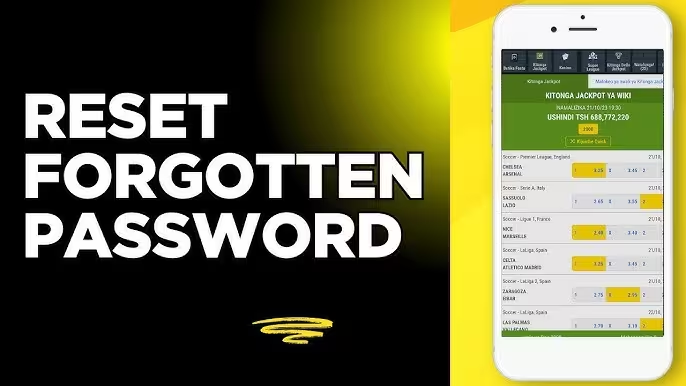
Forgetting your password can be frustrating, especially when you want quick access to your Betika account. Whether you have not logged in for a while, entered the wrong password multiple times, or simply cannot remember your login details, resetting your Betika password is a straightforward process.
This guide explains how to reset your Betika password, common issues you may encounter during the process, and tips for creating a secure password to protect your account.
Why You May Need to Reset Your Betika Password
There are several reasons why you might need to change or reset your Betika password:
You forgot your current password.
Your account has been locked after multiple unsuccessful login attempts.
You suspect someone else has access to your account.
You want to improve your account security.
You have not used your account for a long time and cannot remember your login credentials.
Regardless of the reason, Betika provides an easy way to regain access to your account.
How to Reset Your Betika Password
If you have forgotten your password, follow these steps:
Step 1: Visit the Betika Website or Open the App
Go to the official Betika website or launch the Betika mobile application on your device.
Step 2: Click on "Login"
Locate the login section on the homepage and select the login option.
Step 3: Select "Forgot Password"
Below the login fields, you should see a "Forgot Password" option. Click or tap on it to begin the password recovery process.
Step 4: Enter Your Registered Mobile Number
Provide the phone number linked to your Betika account. Make sure you enter the correct number because the password reset instructions will be sent to it.
Step 5: Follow the Verification Instructions
Betika may send a verification code or password reset instructions via SMS. Follow the prompts provided to verify your identity.
Step 6: Create a New Password
Once verification is complete, you will be asked to create a new password.
Choose a password that is:
Easy for you to remember
Difficult for others to guess
Different from passwords used on other accounts
Step 7: Confirm the New Password
Enter the new password again to confirm it. Once submitted successfully, your password will be updated.
Step 8: Log In to Your Account
Return to the login page and use your phone number together with the new password to access your account.
How to Change Your Betika Password While Logged In
If you can still access your account but want to change your password for security reasons, follow these steps:
Log in to your Betika account.
Navigate to your account settings or profile section.
Find the password or security settings option.
Enter your current password.
Create and confirm your new password.
Save the changes.
After updating your password, use the new one for future logins.
Common Problems When Resetting a Betika Password
Although the process is usually simple, some users may encounter issues.
1. Not Receiving the Verification SMS
If the verification message does not arrive:
Confirm that you entered the correct phone number.
Check your mobile network connection.
Wait a few minutes and request a new code.
Restart your phone and try again.
2. Incorrect Phone Number
Password reset instructions can only be sent to the number associated with your Betika account. If you no longer have access to that number, you may need to contact Betika customer support for assistance.
3. Verification Code Not Working
Verification codes typically have a limited validity period. If the code expires, request a new one and try again.
4. Account Locked
Too many failed login attempts may temporarily restrict access to your account. In such cases, wait for the lock period to expire or contact customer support for help.
Tips for Creating a Strong Password
A strong password helps protect your betting account from unauthorized access.
Consider these best practices:
Use a combination of uppercase and lowercase letters.
Include numbers where possible.
Avoid using your name, date of birth, or phone number.
Do not reuse passwords from other websites.
Change your password periodically.
Keep your login details private.
The stronger your password, the lower the risk of someone gaining access to your account.
When to Contact Betika Customer Support
You may need assistance from customer support if:
You no longer have access to your registered phone number.
You are unable to receive verification messages.
Your account remains inaccessible after resetting your password.
You suspect unauthorized activity on your account.
When contacting support, be prepared to verify your identity to help speed up the recovery process.
Final Thoughts
Resetting your Betika password is a simple process designed to help users regain access to their accounts quickly. By following the correct steps and ensuring your registered phone number is active, you can reset your password in just a few minutes.
To avoid future login issues, use a strong password, keep your account information secure, and update your credentials whenever necessary. If you encounter any difficulties during the process, Betika customer support can help you recover access to your account safely.
? Frequently Asked Questions
Can I reset my Betika password without my registered phone number? ⌄
How long does it take to reset a Betika password? ⌄
Can I use my old password again? ⌄
What should I do if someone else accessed my account? ⌄
Related Articles
- How to Deposit and Withdraw on 1xBet in Papua New Guinea (Using Kina)
- Best Apps Like 1xBet in Pakistan: Top Alternatives for 2026
- Top 10 U.K Betting Sites Not on Gamestop in 2026
- A Complete List of Countries Where Betting is Legal and Illegal in 2026
- 5 Betting Platforms That Accept Airtime Payments in Nigeria
- Top 7 Betting Platforms in Nigeria with the Highest Payouts
- Top 7 Betting Platforms with the Highest Odds in Nigeria
📬 Free Daily Predictions
Get expert picks delivered to your inbox every morning.